AI Rendering vs Traditional Rendering: Which and When
Traditional rendering engines — V-Ray, Lumion, Enscape, Corona — have been the standard for architectural visualization for the better part of two decades. They produce precise, controllable output with well-understood workflows. They also carry significant setup cost, licensing expense, and a learning curve that has kept high-quality rendering out of reach for many small practices.
AI rendering is a different category of tool, not a straight replacement. Understanding where each excels — and where each falls short — is the practical basis for deciding how to use them together.
How traditional rendering engines work
Traditional rendering engines simulate light. They compute how photons travel from a light source, bounce off surfaces, and reach the camera. The output is determined entirely by the inputs you define: the geometry, the materials, the lights, and the camera.
This is the source of both the strength and the difficulty. Because everything is explicit, the output is fully controllable. You can specify the exact color temperature of a luminaire, the exact roughness value of a concrete surface, the exact sun position at a given latitude on a given date. When the render comes back, you know precisely why every pixel looks the way it does.
The cost is setup. Assigning materials to every surface in a complex model is time-consuming. Building a lighting rig that produces realistic results requires knowledge that takes years to develop. And rendering times — even with modern GPU acceleration — range from minutes to hours for production-quality output. V-Ray and Corona are designed for final deliverables where that time is justified. Lumion and Enscape trade some control for speed, but still require full scene setup to produce usable results.
The implied structure is: render once, late, after design is locked, for a specific deliverable. The upfront cost only makes sense when the output has a clear purpose.
Where AI rendering wins
AI rendering is fast, accessible, and works from the source images architects already produce. Its advantages are concentrated in specific parts of a project:
Speed and iteration
A render in seconds means rendering is no longer a production step. You can run a render during a client meeting, adjust a control, and run another. You can generate three atmospheric variations before deciding which to develop. You can check whether a design decision reads the way you intended without scheduling a render session.
This speed does not replace precision — it replaces the time cost that prevents rendering from being used early and often.
Concept and massing stage
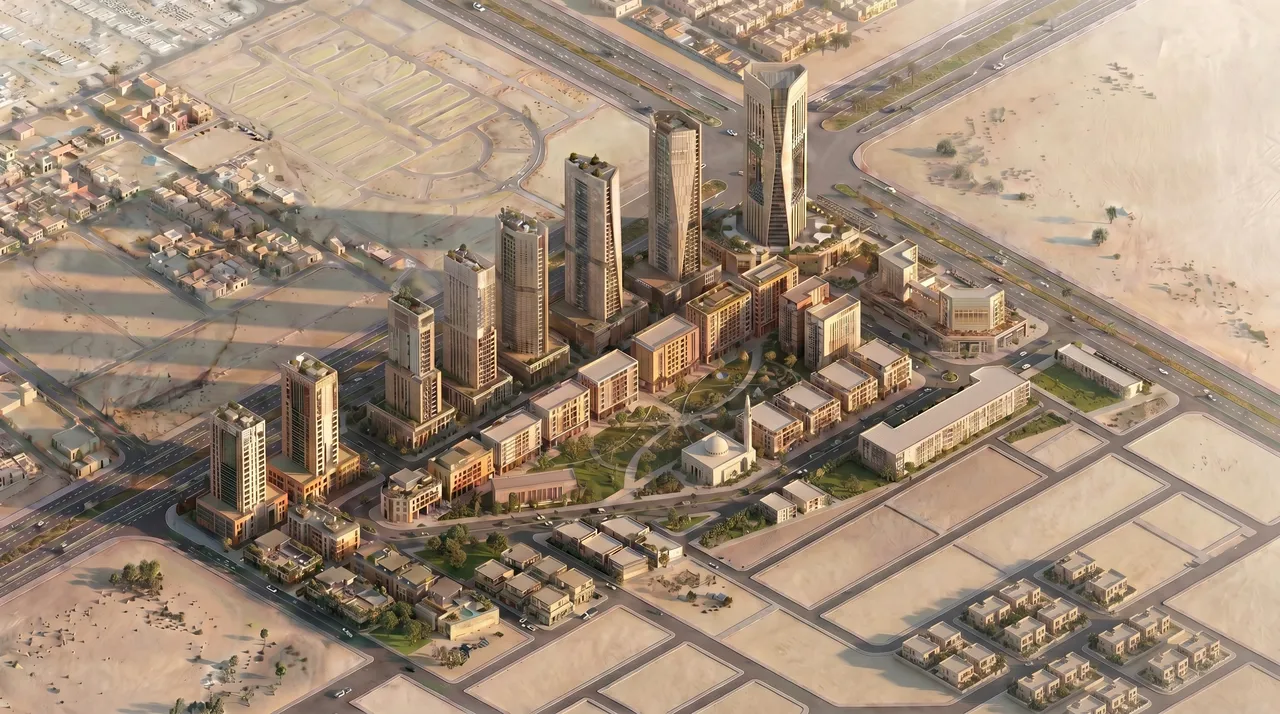
Traditional engines require a complete, fully-assigned scene to produce anything useful. AI rendering works from a rough source image and produces a legible result. That means rendering is viable at massing study, at schematic design, at any moment when showing a spatial idea is more useful than describing it.
See How to Render at the Concept and Massing Stage for a detailed look at this use case.
Accessibility for small practices
A solo architect or small studio without a dedicated visualization specialist can produce presentation-quality images from the same viewport screenshots they already capture for documentation. No licensing overhead for a dedicated render plugin. No materials library to maintain. No lighting consultant.
No prompt language
For architects specifically, the absence of a text-prompt interface is a material advantage. The controls are design controls — style, time of day, weather, format — rather than a vocabulary to learn. This matches how architects already think about presentation decisions.
Where traditional rendering still wins
Final deliverables with exact specifications
When a client has approved a design and expects a render that matches the specified materials precisely, AI reconstruction is the wrong tool. Traditional rendering with correctly assigned materials produces output where every surface matches the specification. AI rendering produces output where surfaces look coherent and correct but are not derived from a material specification.
For planning submissions, marketing imagery, and published project documentation, traditional rendering's explicit control is often necessary.
Highly controlled lighting scenarios
Artificial lighting simulation — the behavior of luminaires in a space, the way task lighting interacts with ambient light, the modeling of daylight through complex fenestration — requires a physics-based simulation. AI rendering approximates this from the source image; it does not compute it. For projects where lighting performance is part of the design argument, traditional simulation is still the right tool.
Complex material interactions
Translucent materials, subsurface scattering, highly specular surfaces, and material layering all require explicit simulation to render correctly. AI reconstruction handles common material registers well; uncommon surface types and complex optical behaviors are better served by an engine that can compute them directly.
A both-and workflow
The practical conclusion is not either/or. The two approaches serve different moments in a project:
- Use AI rendering for concept, massing, and schematic design — any moment when the speed of iteration matters more than the precision of the output.
- Use traditional rendering for final client deliverables and presentations where material specification and lighting precision are required.
Many practices find that AI rendering changes how they use traditional rendering: because early-stage communication is covered, traditional render effort can be focused on the moments where it genuinely adds value rather than spread across a project to satisfy every checkpoint.
For a look at how rendering fits at the earliest stages of design, see How to Render at the Concept and Massing Stage. And to see where AI rendering fits into an architectural workflow overall, read our complete guide to AI architectural rendering.
To try AI rendering on your own projects, join the Arqina beta.